hq777 Casino Mobile App
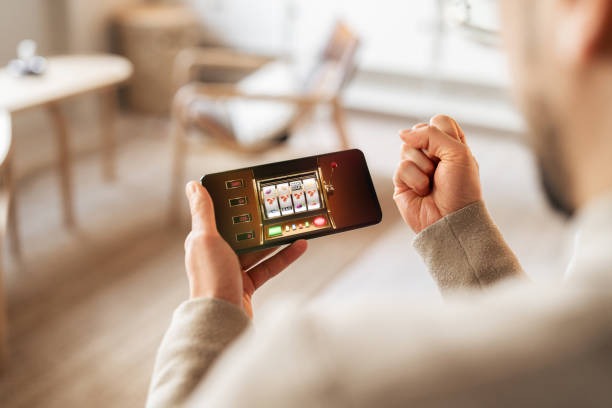
Our hq777 mobile app brings slot tournaments, live-dealer tables, and sportsbook markets directly to your device. Whether you access hq777 via Android APK, iOS browser, or our responsive web platform, we ensure consistent performance and secure account management across all paths.
- and
- StartFirst Game
- Update
Mobile-first design matters because most of our users in Jakarta, Surabaya, Bandung, Medan, and Semarang access hq777 during commutes, breaks, or evening hours when desktop is not convenient. Our app prioritises speed, offline caching for game history, and push notifications so you stay informed about tournament schedules and withdrawal status without constant manual checking.
We recognise that device choice varies across our user base. Some prefer native Android APK installation for direct control; others use iOS Safari or Chrome for simplicity. Our web app adapts to all screen sizes and connection speeds, so whether you are on a fast Jakarta fibre link or a slower regional connection, hq777 remains responsive and accessible.
How to access hq777 on mobile
Installation steps
- Download: Select your device type above and follow the link to download the hq777 app or open our web platform in your browser.
- Install: For Android APK, enable "Unknown sources" in your device settings, then tap the downloaded file to install; for iOS and web, no installation is needed.
- Register: Open hq777, create your account with your email or phone number, and complete KYC verification using your government ID.
- Start: Deposit via DANA, e-wallet, mobile banking, local payment, or bank transfer, then browse slot tournaments, live-dealer tables, or football markets.

App versus browser: what to expect
Our native Android APK offers offline caching, so your game history and account details load instantly even if your connection drops momentarily. Push notifications alert you when a Liga 1 match is about to start or when your withdrawal is processed. The app also integrates with your device's secure storage, so you do not need to re-enter your password every session. Browser access via iOS Safari or Chrome is equally secure and requires no installation; it works on any device with a modern browser. Choose APK if you want the fastest, most integrated experience; choose browser if you prefer simplicity and no storage footprint.
Device compatibility
We support Android 7.0 and above for APK installation. iOS users can access hq777 via Safari or Chrome on iOS 12 and above. Our web app runs on any device with a modern browser (Chrome, Firefox, Safari, Edge) released in the last three years. If your device is older or your browser is outdated, we recommend updating your operating system or browser before attempting to register or deposit.
Common installation issues and solutions
If you see "Unknown sources" blocked on Android, go to Settings → Apps → Permissions → Install unknown apps, find your browser, and toggle the permission on. If your browser warns about an untrusted certificate, this is a temporary security check; refresh the page and try again. If the app crashes on launch, clear your browser cache or uninstall and reinstall the APK. If you cannot download the file, check that your device has at least 50 MB of free storage and that your internet connection is stable. For persistent issues, contact our support team during business hours; we offer multilingual assistance and can guide you through each step.

Data, permissions, and account security
When you install the hq777 app or access our web platform, we request permission to store your login session and game history locally on your device. We do not access your contacts, photos, or other personal files. All communication between your device and our servers uses industry-standard encryption. Your account credentials are never stored in plain text; we use secure hashing and two-factor authentication options to protect your login. When you deposit via online payment, e-wallet, mobile banking, or local payment, payment data is processed by our payment partners, not stored on our servers. We comply with data-protection standards across supported jurisdictions in Southeast Asia, and our privacy policy outlines exactly what we collect and how we use it.
Getting started with hq777
Download or open hq777 using one of the links above, then create your account with your email and a secure password. You will be asked to verify your identity using your government ID; this process typically takes a few minutes and helps us comply with local regulations. Once verified, deposit your first funds via online payment, e-wallet, mobile banking, local payment, online payment, e-wallet, or a bank virtual account. Our payment partners process most transfers within standard review windows; exact timing depends on your bank and payment method. After your deposit is confirmed, you can browse our slot tournaments (Aviator, Sweet Bonanza, Gates of Olympus, Fortune Tiger, Mahjong Ways), join live-dealer tables (blackjack, roulette, baccarat, Dragon Tiger), or place positions on football, badminton, and MotoGP markets. Our services are available only where local law permits; you are responsible for verifying that access and use comply with your jurisdiction's regulations.